[ Sep
14-17
] Save the date for inPOWER 2026
[ Sep
14-17
] Save the date for inPOWER 2026
 Email:
inquiry@srinsofttech.com
Email:
inquiry@srinsofttech.com Phone:
+1 614-468-8980
Phone:
+1 614-468-8980








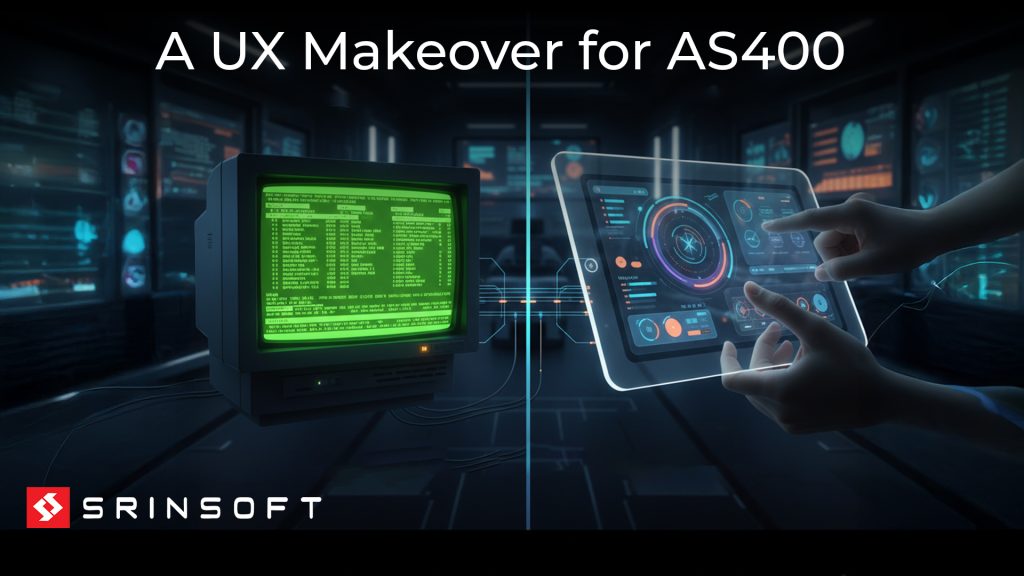
Green screens don’t stop your business, but like a pebble stuck in your shoe, they make every step harder than it should be.
Yes, your AS400/IBM i is a powerhouse —no two ways about it— processing billions in transactions, delivering 99.9% uptime, and keeping critical data secure. That strength and reliability are rare and invaluable.
But the friction comes from the interface. Green screens trap that power behind cryptic commands and function keys that only a shrinking pool of experts understand. Meanwhile, competitors with modern interfaces are moving faster; making decisions in real time, onboarding employees in days instead of months, and integrating systems that take you six months just to scope.
Replacing green screens with user-friendly GUIs removes that friction, unlocking AS400’s full power to help you stride confidently into the digital age.
Executive Summary
- AS400 systems remain powerful and reliable, but outdated green screen interfaces create costly friction.
- Even partial modernization approaches deliver 80% of benefits at 10% of the cost.
- AS400 experts are retiring faster than replacements can be trained.
- Companies that modernize strategically—starting with quick wins like UI upgrades—protect their AS400 investment.
A Historical Overview: AS400 and the Green Screen Legacy
Launched in 1988, the AS400 (now IBM i) quickly became the backbone of industries ranging from banking and logistics to healthcare and retail. The green screen interface was “state-of-the-art” at the time. But in 2025, what was once an innovation now feels like a relic:
- Text-only interface – no graphics, buttons, or mouse interaction
- Keyboard-driven – Navigating dozens of cryptic function keys takes training and slows onboarding.
- Non-intuitive – requires memorizing commands and navigation paths
- Integration hurdles: Green screens resist direct connection with cloud services, mobile platforms, or analytics dashboards.
In today’s market, friction is more than an annoyance, it’s a drag on revenue, agility, and growth.
Why AS400/IBM i Modernization Matters Now
AS400/IBM i is still thriving (42% of IBM i users are large companies with over $1 billion in revenue) but green screens are struggling, and modernization urgency comes down to three converging pressures:
- Talent scarcity
- No one gets it – In fact, teams avoid touching the system because no one fully understands it.
- AS400/IBM i “green screen” and RPG expertise is shrinking as veterans retire faster than new talent enters
- Customer expectations – End-users, employees, and partners toady expect:
- Intuitive interfaces – point-and-click, not memorizing F-key commands
- Familiar patterns – UX similar to consumer apps they use daily (Amazon, Google, etc.)
- Digital ecosystem demands which green screens can’t deliver on their own.
- Work from anywhere – cloud access, remote/hybrid work support
- Real-time updates– check status, approve requests on-the-go.
IBM i / AS400 GUI & Green Screen Modernization
Understanding the 5250 Terminal & AS400 User Interface Limits
The 5250 terminal was built for speed and reliability, not modern user experience. It relies on text-based screens, keyboard commands, and function keys.
That works well for experienced operators. It becomes a different story for new employees who must learn the system.
Instead of familiar buttons, menus, and search fields, users often need to remember:
- Which function key performs an action
- Where a field appears on a screen
- Which sequence of screens completes a task
The result is slower onboarding and more room input errors that create legacy IBM i agility bottlenecks across daily order entry and customer service operations.
Strategic AS400 GUI Modernization: From Screen Scraping to Web
Modernizing the interface does not mean throwing away the RPG applications underneath it.
Organizations can take a gradual path:
Screen refacing → Web enablement → Native web interface
Screen refacing puts a modern layer over existing 5250 screens. Web enablement goes further by exposing existing business logic robust RPGLE API integration and web services.. A native interface can then use technologies such as HTML5, React, or Angular while the RPG back end continues handling core business rules.
This approach lets companies modernize the experience without rewriting everything at once.Explore SrinSoft’s end-to-end AS400 GUI Modernization Services to transform your legacy green screens into responsive web interfaces
Quantifiable Productivity Gains via AS400 User Interface Modernization
A modern interface can make routine work faster simply by reducing unnecessary navigation.
For example:
- Order entry: Fewer screens and clearer fields can speed up repetitive entries.
- Call centers: Agents can access relevant customer information without navigating multiple green screens.
- Data entry: Visual validation can help catch errors earlier.

Cloud Migration as Green Screen Modernization Accelerator
Cloud migration is the catalyst that makes green screen modernization practical and valuable.
Real-World Green Screen Integration Examples:
Example 1: Customer Service
- Before: Service reps switch between green screen (order data) and web browser (customer info)
- After Cloud: Single modern interface pulls AS400/IBM i data in real-time, displays alongside Salesforce customer history
Example 2: E-commerce
- Before: Website shows “call for availability” because it can’t access AS400/IBM i inventory
- After Cloud: Website queries AS400/IBM i inventory via cloud APIs in real-time
Example 3: Mobile Sales
- Before: Sales reps can’t access green screens from the field, rely on morning printouts
- After Cloud: Mobile app connects to AS400 through cloud, real-time pricing/inventory

Specific Cloud Cost Advantages:
- No Hardware Refresh – Cloud provider handles upgrades
- Elastic Scaling – Pay for what you use (month-end spikes)
- Reduced IT Staff – Fewer specialists needed
- Disaster Recovery Included – No separate DR site
- Faster Onboarding – Lower training costs
- Reduced Errors – Lower rework costs
- Better Customer Experience – Higher revenue retention
Benefits of GUI Modernization
Enhanced Productivity
Scenario:
A logistics firm modernized its AS400-based warehouse management system with a GUI interface. Previously, new employees took 6–8 weeks to learn green screen navigation and memorize function keys. After modernization, onboarding dropped to less than 10 days. Real-time prompts, dropdown menus, and automated field validation reduced data-entry errors by 40% and accelerated order fulfillment.
Advanced Analytics
Scenario:
A regional bank integrated modern dashboards on top of its AS400 core. Branch managers now view loan approval rates, default risks, and deposit trends in real time instead of waiting for weekly reports. The shift from static green screens to data visualizations enabled faster lending decisions and improved regulatory reporting accuracy.
Multi-Platform Compatibility
Scenario:
A manufacturing company extended its AS400 production control system to the cloud, allowing supervisors to monitor line performance via tablets and smartphones. Engineers on the factory floor can now approve work orders and track inventory updates instantly — without being tethered to a terminal.
Improved User Experience
Scenario:
An insurance company replaced its claims processing green screens with a modern, web-based interface. Agents who once juggled 12–15 command codes per claim now use guided workflows and auto-fill fields. Customer claim resolution times dropped by 30%, and employee satisfaction scores improved significantly.
Integration with Emerging Tech
Scenario:
A retail enterprise connected its AS400-based ERP system with an AI-driven demand forecasting platform through API integration. The system now automatically adjusts inventory levels based on predicted sales patterns. The result: reduced overstocking, fewer stockouts, and a 15% improvement in supply chain efficiency.
Conclusion
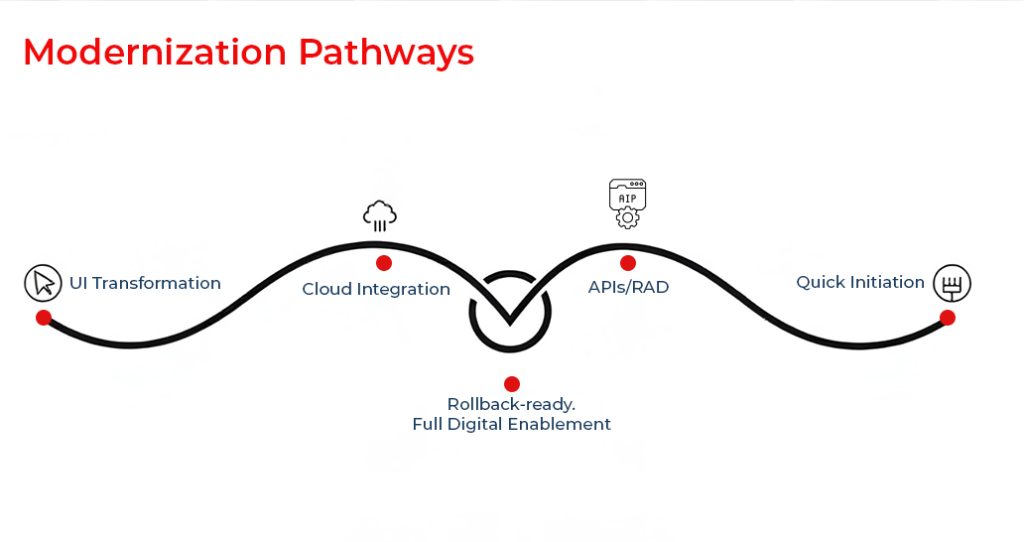
With a robust yet aging AS400 backbone and a younger, digitally native workforce, it’s time to look beyond the present. Define both your short-term priorities and long-term modernization vision, then partner with a vendor capable of guiding you through the entire journey, from green screen transformation to full digital enablement.
Forward-looking leaders are always seeking ways to make systems faster, smarter, and easier to use. Starting with partial modernization — such as UI transformation and cloud integration — allows you to preserve the power of your AS400 while delivering the intuitive experience your users expect.
Cost of maintaining AS400 green screen interfaces
Every month you delay, the cost of inaction grows:
- Another expert retires, taking 30 years of knowledge with them
- Another talented recruit turns down your job offer because they can’t stomach green screens
- Another competitor wins a customer because their systems feel modern and yours feel ancient
- The companies winning today aren’t the ones who abandoned their AS400s in panic. They’re the ones who modernized strategically; keeping what works, upgrading what matters, and doing it fast enough to stay competitive.
The question isn’t whether to modernize. It’s whether you’ll start while you still have the experts to guide the transition.
The pebble in your shoe isn’t going away on its own. Time to remove it.
SrinSoft – Join the Leader
With nearly two decades of legacy system modernization experience, SrinSoft has helped enterprises preserve their AS400 /IBM i investments while delivering the modern UX their teams demand.
Schedule a complimentary 30-minute AS400 modernization assessment!